Keep the Same Characters Across Every Panel and Episode
Save a cast with stable character IDs and reference images, then reuse it as your story continues. Comicly passes those visual references into generation to help preserve each character’s appearance.
Sign in to open the series studio, then use the character library to create your cast.
How it works
- 1. Create and reference your characterCreate a saved character to get a UUID. Upload a reference image, or generate one and accept it, to save its referenceUrl. Keep recognizable traits such as hair, clothing and accessories.
- 2. Bind the cast to your storyboardUse the saved character IDs in the storyboard. Each dialogue line has a speaker: the character UUID, or narration / offscreen for captions and unseen voices.
- 3. Reuse the cast in the next episodeContinue the same series with the same saved characters and references. Keep the visual style stable, and review each generated panel before accepting the episode.
The same Mia in two real episodes
Daily AI Trend Comic reuses Mia’s character UUID and the exact same referenceUrl in episode 1 and episode 2. Compare her round glasses, brown bun and mustard hoodie across the panels below. These are existing published strips, not newly generated demos.
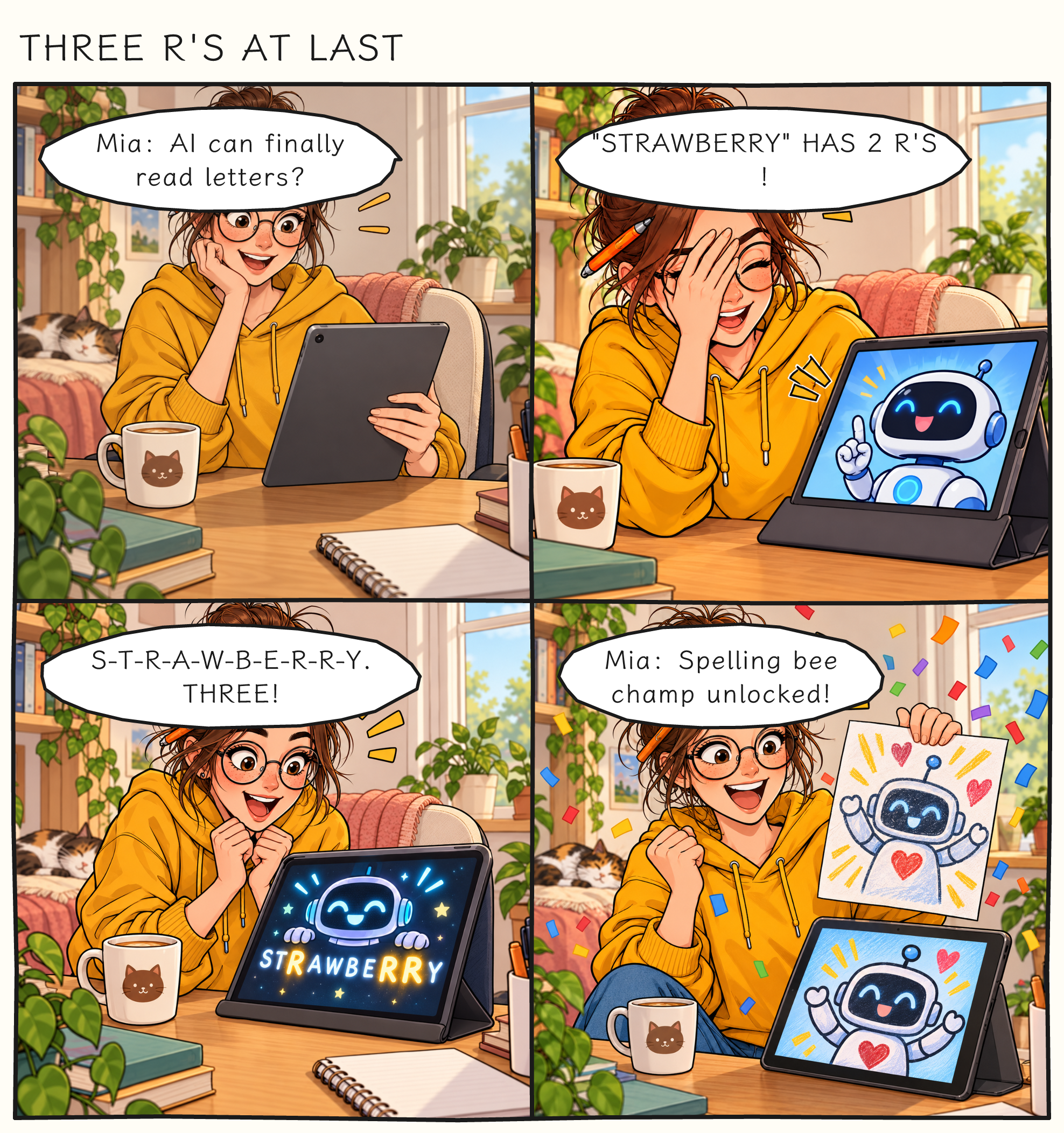
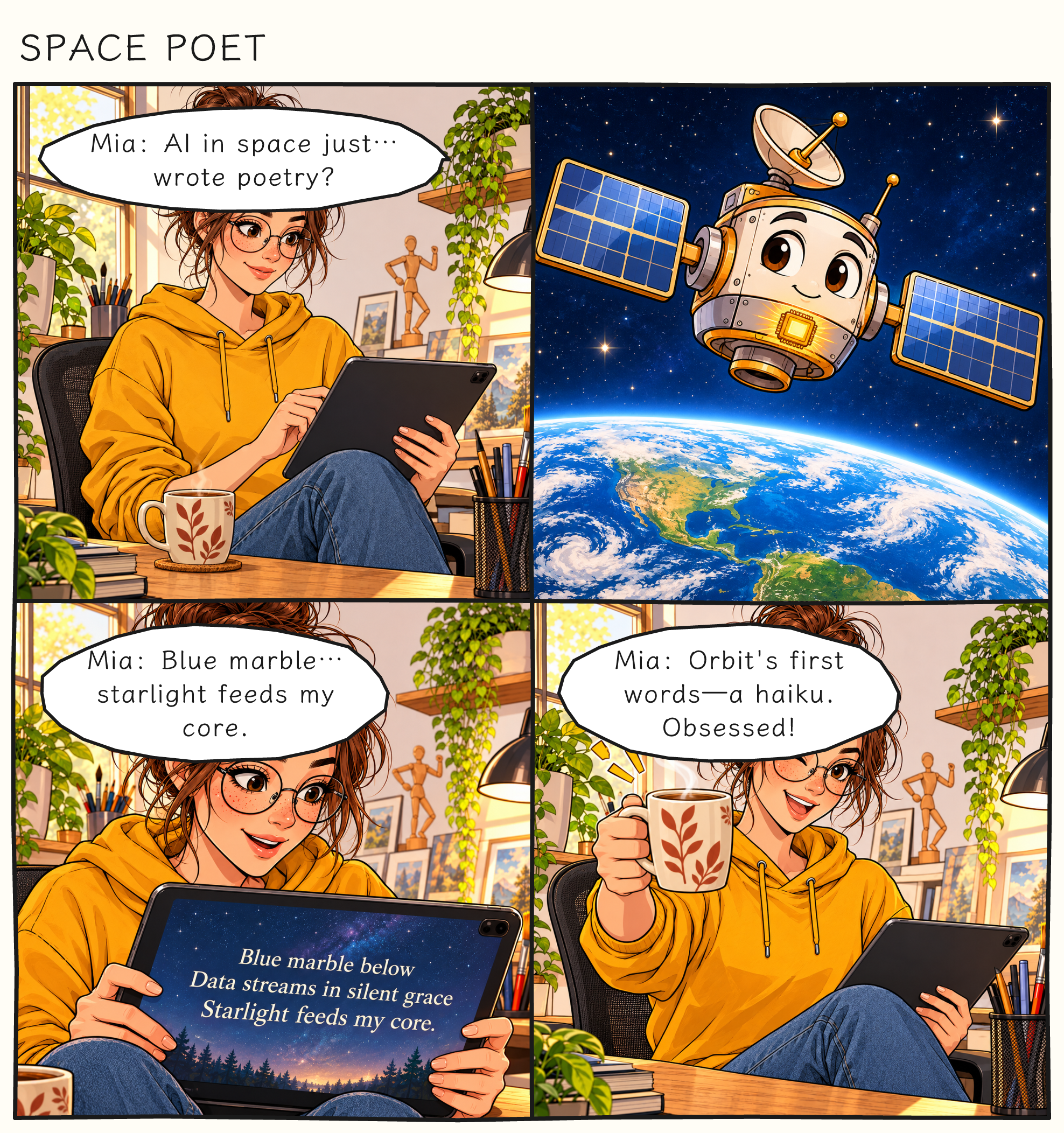
Shared character: Mia. Both episode records use ecaa8771-4901-46ee-b259-05e7d0f1575d. Memory Shop and Coffee Cart Truce show additional casts in the examples collection.
The character binding, in readable JSON
This excerpt comes directly from Space Poet’s published episode JSON. The dialogue speaker matches Mia’s character id; referenceUrl supplies her visual guide. This is a shortened excerpt, not a complete import payload. Read the full episode JSON.
{
  "schemaVersion": 1,
  "storyboard": {
    "characters": [
      {
        "id": "ecaa8771-4901-46ee-b259-05e7d0f1575d",
        "name": "Mia",
        "traits": [
          "young woman, 20s, messy brown bun",
          "round glasses, freckles",
          "mustard yellow hoodie, blue jeans",
          "small orange tablet pen behind ear"
        ],
        "referenceUrl": "https://cdn.comicly.app/comic-characters/5dc5b305-79d4-478c-9b16-a78ac87351f6/f83bfb97-d5bd-4d57-9dab-31c7847eab21.jpg"
      }
    ],
    "panels": [
      {
        "action": "Mia sits at her cozy home studio desk, staring at her tablet with a slight smile. Soft morning light, coffee mug nearby.",
        "emotion": "Mia: slight smile, intrigued, eyes soft behind glasses.",
        "dialogue": [
          {
            "text": "AI in space just… wrote poetry?",
            "speaker": "ecaa8771-4901-46ee-b259-05e7d0f1575d"
          }
        ]
      }
    ]
  }
}
Current limits and what to expect
- A series supports 1–3 characters and either 2 or 4 panels per episode. The comic studio supports 1–4 panels; PNG exports are strips, not a complete multi-page book.
- Series generation supports cartoon and manga styles. A character UUID binds identity in the data; it does not itself guarantee identical pixels or perfect visual consistency.
- Image generation can still vary faces, clothing, poses and small details. Use a clear reference, keep defining traits stable, and review or edit results.
- Generation requires an account and credits. One generation job holds the storyboard and panel-art credits together; the full hold is returned if the comic fails or times out. Check the displayed cost before generating.
Frequently asked questions
How do I keep the same character across comic panels?
Save a character with a stable UUID, defining traits and a reference image. Reuse that character in your storyboard and set each spoken line’s speaker to its UUID. Comicly uses the saved references during generation; review the results for visual drift.
Can I reuse a character in a new episode?
Yes. Continue the same series with the same saved cast and reference images. The Daily AI Trend Comic examples on this page use the same Mia UUID and referenceUrl in episodes 1 and 2.
Does it work with manga or black-and-white style?
Series generation supports manga as well as cartoon. For a black-and-white look, use a matching reference and describe the intended monochrome treatment. Exact shading and details may vary between generations.
What is a character reference image?
It is a saved visual guide to a character’s appearance. Upload an image or generate and accept one in the character library. Its referenceUrl points to the image used to guide later artwork; the UUID identifies which character it belongs to.
Is it free to try?
You can view the examples and JSON without signing in. Creating generated artwork requires an account and credits. Welcome credits may be available for eligible new accounts, subject to availability and expiry; check your balance and the current pricing before generating.
Build a story with a recurring cast
Start with the AI comic generator, or inspect real episodes before creating your own.