comicly
ExploreBlogPricingFeedback
Sign In
comiclyAI Comic, Manga & Graphic Novel Creation Studio
Comic Strip MakerAI Comic MakerAI Manga GeneratorAI Comic Book Generator
ExplorePricingBlogTermsPrivacyContact
© 2026 comicly.app
1–4 panel comic strips

AI Comic Strip Maker: Create a Comic Strip Online

Type your joke or story, then get a 1–4 panel strip.

Make my comic strip

The button opens the homepage studio. It starts on a two-panel layout, and you can switch to one, three, or four panels before you generate. Sign in with Google before a strip can be generated. New sign-ups can receive 20 welcome credits, valid for 7 days. Those free welcome credits are limited daily.

How to make a comic strip with AI

A comic strip on Comicly is one short scene with one to four panels, not a multi-page book. You describe the joke in the homepage studio, choose a panel count and a style, and one Generate action writes the storyboard and then draws the art. You do not sketch the page yourself.

  1. 01

    Write the gag or the story

    Name the characters, the place, and the ending. A strip lands when the last moment changes what the first moment seemed to mean. Say what someone expects, then say what actually happens. Keep the cast small. Dialogue on the storyboard is short, usually no more than two lines in a panel, and it stays in the language you used for the idea, English or Chinese.

  2. 02

    Choose 1–4 panels and a style

    The layouts are a single panel, two panels, three panels, and four panels. One panel is a single reaction. Two panels are a setup and a payoff. Three panels add a middle turn. Four panels have room for an opening, a development, a surprise, and a last beat. Auto layout is quoted as four panels. If the storyboard comes back with fewer panels, the unused panel credits are returned before the pictures are drawn. Styles are editorial stick figure, which is the default, color cartoon, black-and-white manga, or a custom direction you describe in words.

  3. 03

    Generate, then download the PNG

    You can type in the studio before you have an account. Generating requires a Google sign-in. Email and password sign-in is not available. The server checks the session before it writes a storyboard, so a signed-out visit does not create a strip. Speech bubbles are typeset on top of text-free artwork. The current studio does not include a bubble editor, so the words come from that same Generate action. When the comic succeeds, download one PNG. The download does not cost extra credits.

The homepage studio uses the default model, GPT Image 2.5 at 1K. A strip costs 1 storyboard credit plus 4 credits per panel: 5 credits for one panel, 9 for two, 13 for three, and 17 for four. Credits are held when generation starts and charged only if the comic succeeds. If the story fails, a panel fails, the comic is only partly delivered, or the job times out, the full hold is refunded.

Comic strip examples

The two-panel, three-panel, and four-panel pictures on this page are finished strips from the studio. A one-panel layout is supported as well. The published example set does not include a finished one-panel image, so that card is a starter prompt rather than a picture we do not have. Try this prompt opens the homepage studio with a saved template filled in. Open the studio only opens the studio, and you paste the line yourself.

1 panel

One reaction

Prompt

A cat sits on a laptop during a video call and looks extremely proud of the interruption. One panel, one reaction, no second beat.

This is a starter prompt, not a saved template, and there is no one-panel sample image on this page. A one-panel strip is a single square frame. In the studio, set the layout to Single panel before you generate.

Open the studio
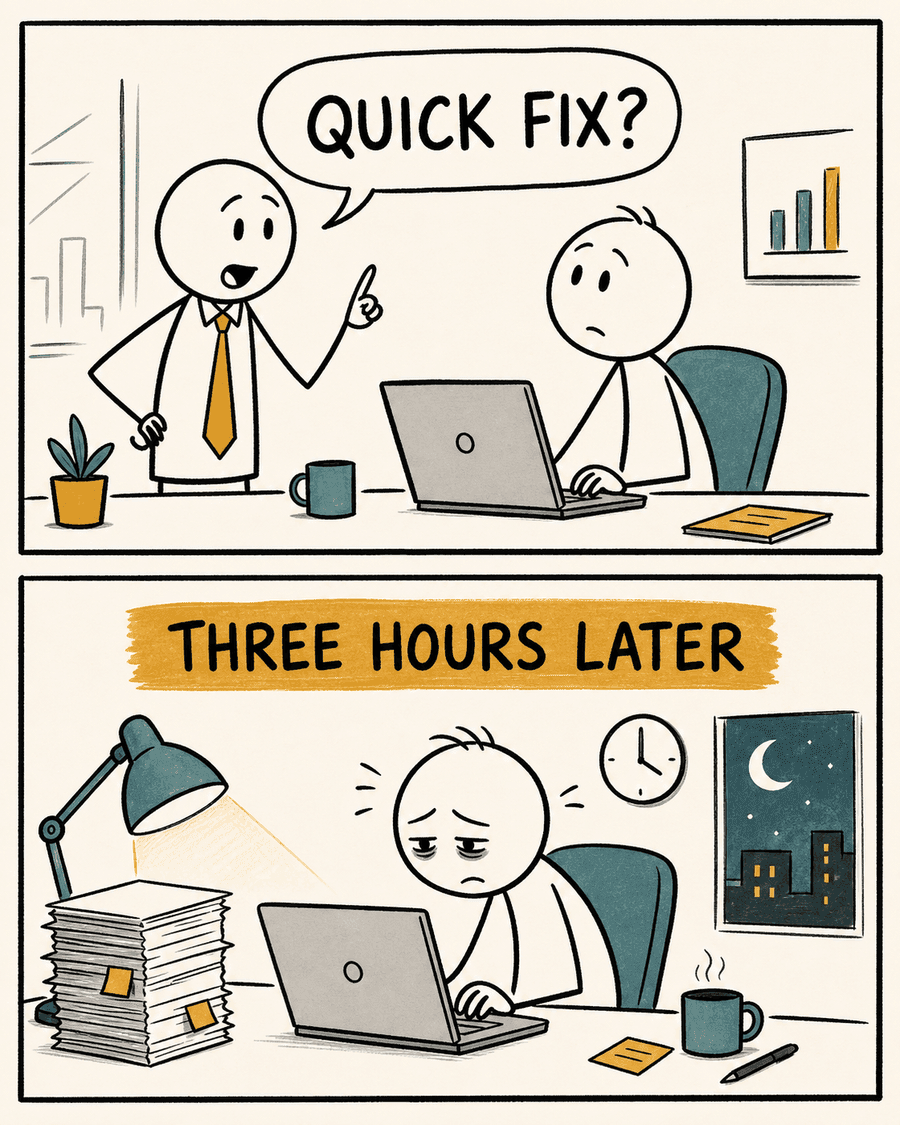
Quick Fix, a two-panel workplace comic strip with a setup and a late-night payoff

2 panels

Quick Fix

Prompt

A manager asks a developer for a quick fix. Three hours later, the developer is still working while the manager has gone home.

Try this prompt
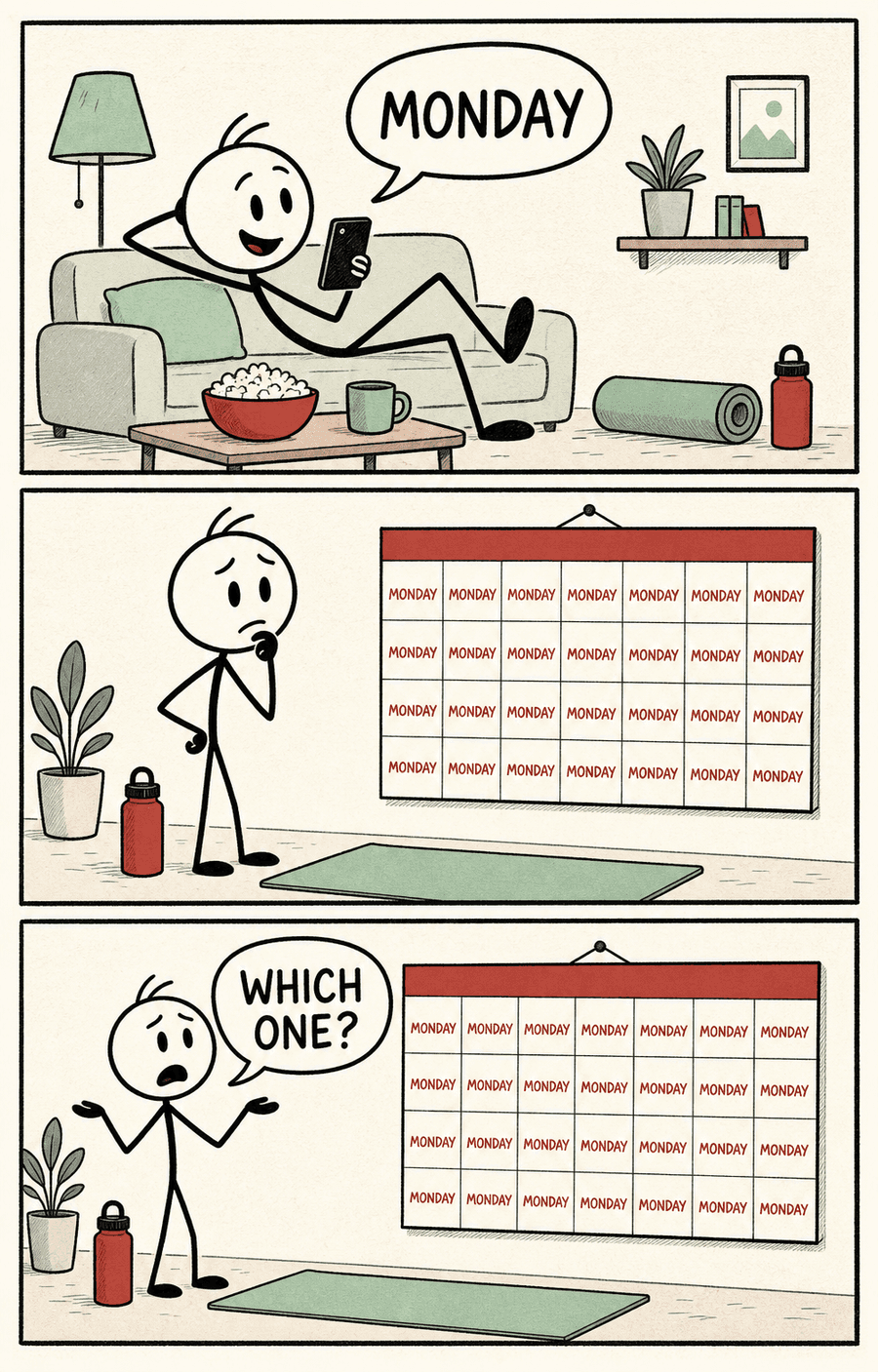
Which Monday, a three-panel comic strip about a calendar that is only Mondays

3 panels

Which Monday?

Prompt

Someone promises to start exercising on Monday, then discovers their calendar somehow contains nothing but Mondays.

Try this prompt
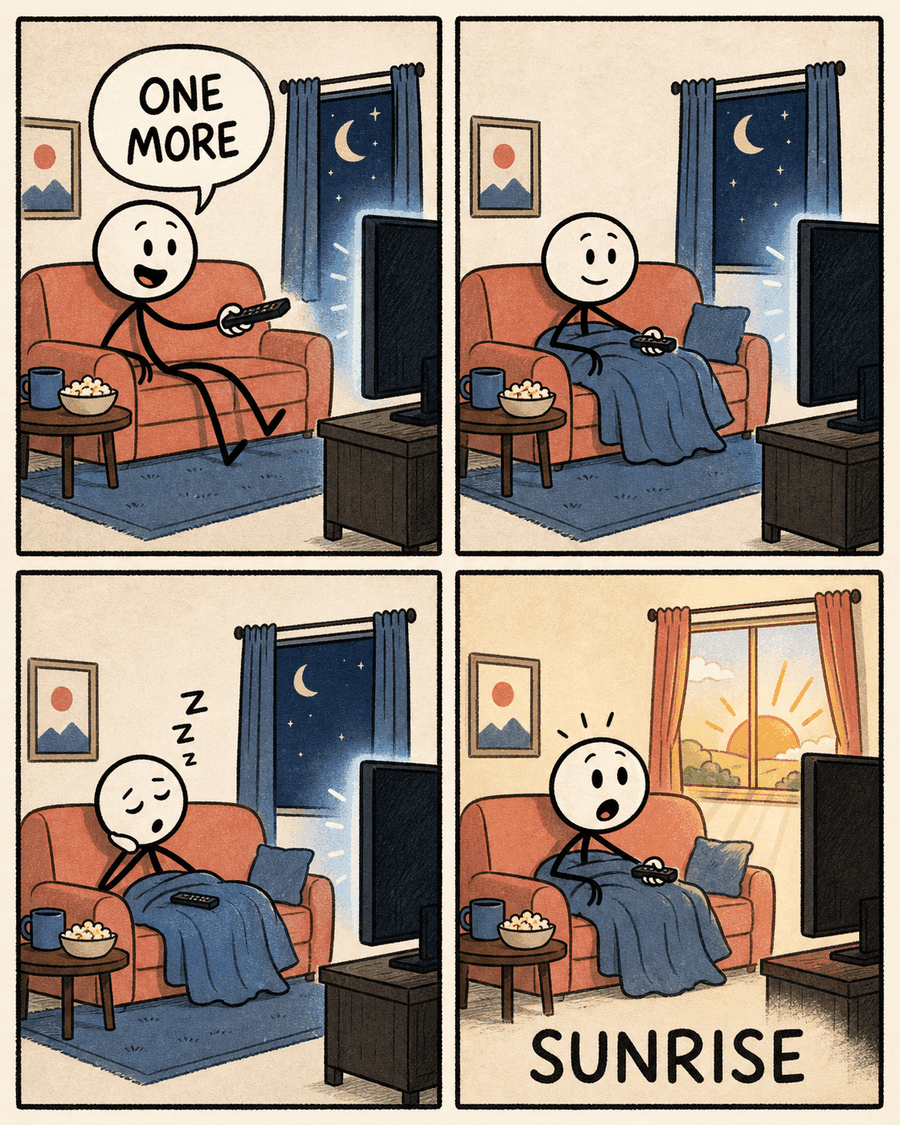
One More Episode, a four-panel comic strip from a late-night promise to sunrise

4 panels

One More Episode

Prompt

Someone says they will watch only one more episode at night. They get comfortable, fall asleep, and wake up shocked at sunrise.

Try this prompt

Why use Comicly's comic strip generator

The studio is for a short strip you can download as a PNG. It is not a multi-page comic book tool, and the export is not a 4K file.

Later panels use the first panel as a reference

The opening panel is drawn from the style direction. Each later panel is drawn from that finished image, with an instruction to keep the same characters, the same setting, and the same art style while showing the next beat. That gives a recurring cast a visual anchor. It does not guarantee that every panel looks identical.

Speech bubbles are typeset separately

The image model is asked for artwork without letters. Dialogue is composed afterward as speech bubbles, in English or Chinese, so the punchline does not depend on the model spelling words inside the picture. You cannot edit those bubbles in the current studio. Revise the idea and generate again if you want different wording. A new generation is a new credit hold.

One to four panels, and no more

The storyboard schema allows one, two, three, or four panels. There is no fifth panel. The download is a single PNG of that strip. Comicly does not export a multi-page PDF from this studio.

You write. You do not have to draw.

Describe the situation in plain language. Comicly writes the panel actions and the short dialogue, then draws the art. You do not ink, letter, or lay out the page by hand. Review the finished PNG before you post it.

A fixed-size PNG for a social post

Export is a PNG at twice the layout canvas. The pixel size does not grow if a higher image quality is selected somewhere else, because the panel art is scaled into a fixed frame. With a title, and without a title, the sizes are 1016 by 1144 or 1016 by 1016 for one panel, 1496 by 1804 or 1496 by 1676 for two panels, 1496 by 2614 or 1496 by 2486 for three panels, and 1976 by 2104 or 1976 by 1976 for four panels. You can upload that file as an image on Instagram or X. It is not cropped to a platform ratio, and it is not a 4K download.

Comic strip ideas to start with

Use a specific moment, one change, and a short last line. Saved templates fill the homepage studio when you use Try this prompt, including the panel count that belongs to that template. The pet and school lines are not saved templates. Those buttons open the studio so you can paste the prompt and set the layout yourself.

Office joke

A manager asks a developer for a quick fix. Three hours later, the developer is still working while the manager has gone home.

Try this prompt

Remote work day

A remote worker cheerfully joins meeting one of nine in the morning, then looks completely exhausted in the same chair at night.

Try this prompt

One more episode

Someone says they will watch only one more episode at night. They get comfortable, fall asleep, and wake up shocked at sunrise.

Try this prompt

A habit that slips

Someone promises to start exercising on Monday, then discovers their calendar somehow contains nothing but Mondays.

Try this prompt

Expectation and reality

Expectation: a calm productive morning with coffee and a tidy desk. Reality: spilled coffee, endless notifications, and total chaos.

Try this prompt

A tiny victory

Someone finally clears their email inbox. They celebrate like they just won a world championship, then one new email arrives.

Try this prompt

A pet in the way

A dog waits politely for a walk. The moment the leash appears, the dog is already at the door, and the human is still looking for the keys.

Open the studio

A school hallway

A student finishes the group project the night before it is due, then walks into class and learns the presentation was moved to today.

Open the studio

Comic strip maker questions

Is this comic strip maker free?

New sign-ups can receive free welcome credits, limited daily. The grant is 20 credits, valid for 7 days, and at most 5 new accounts per UTC day receive it. If that day's grants are already used, the new account receives 0 welcome credits, and they are not added later. Each account is checked once. After the welcome grant, a strip uses credits. At the default, GPT Image 2.5 at 1K, the price is 1 storyboard credit plus 4 credits per panel: 5, 9, 13, or 17 credits for 1, 2, 3, or 4 panels. The credits are held up front and charged only if the comic succeeds. Failure, a partial delivery, or a timeout refunds the full hold. Downloading the PNG does not cost extra credits.

Do I need to sign up?

You can open the studio and type an idea without an account. Generating requires a Google sign-in. Email and password sign-in is not available. The generate request is rejected until you are signed in, so the storyboard is not written for a signed-out visitor. After you sign in, the job also needs enough credits.

How many panels can a comic strip have?

One, two, three, or four. The layouts are single, two-panel, three-panel, and four-panel. The homepage studio opens on two panels. Change the layout menu when you want a different count. Auto layout is quoted and held as four panels, which is 17 credits at the default 1K price. If the storyboard uses fewer panels, the difference is returned before the art is drawn.

Can I edit the speech bubbles and text?

Not in the current studio. One Generate action writes the storyboard, including the dialogue, and then draws the panels. There is no separate bubble editor. Speech bubbles are typeset on top of text-free artwork, in English or Chinese, so the words are not painted by the image model. To change the wording, revise the idea and generate again. That is a new credit hold. Downloading the PNG does not cost extra credits.

Will my characters look the same in every panel?

Later panels are drawn from the finished first panel so the cast, the place, and the style have a visual anchor. That is how the strip keeps a character connected from panel to panel. It is not a guarantee that every panel is identical. The default look is editorial stick figure. Color cartoon, black-and-white manga, and a custom style direction are also available.

What size is the download? Can I post it on Instagram or X?

The download is one PNG at a fixed composed size, not a 4K file. Image quality does not change that pixel size, because the panel is scaled into the frame. With a title, and without a title, the sizes are 1016×1144 or 1016×1016 for one panel, 1496×1804 or 1496×1676 for two panels, 1496×2614 or 1496×2486 for three panels, and 1976×2104 or 1976×1976 for four panels. You can upload that PNG as an image on Instagram or X. It is not resized to a specific Instagram crop.

Can I use my comics commercially?

Yes. You can use the comics you create with Comicly for personal and commercial projects, such as social media, marketing, presentations and merchandise. You are responsible for what you create: make sure your prompts, uploaded images and the final comics don't infringe anyone else's copyright, trademark or likeness rights. Use is also subject to the terms of the AI models that power Comicly. See our Terms of Service for details.
Make the strip in the studio

The generator is the homepage studio. Write the gag, pick 1 to 4 panels, and sign in with Google when you generate. Free welcome credits are limited daily. Credits are charged only when the comic succeeds, and a failed job is refunded.

Make my comic strip

Keep reading

AI comic generatorAI comic makerHow to create stick figure comics with AIComic strip ideas and promptsAI comic strip generators